
 yhf20060726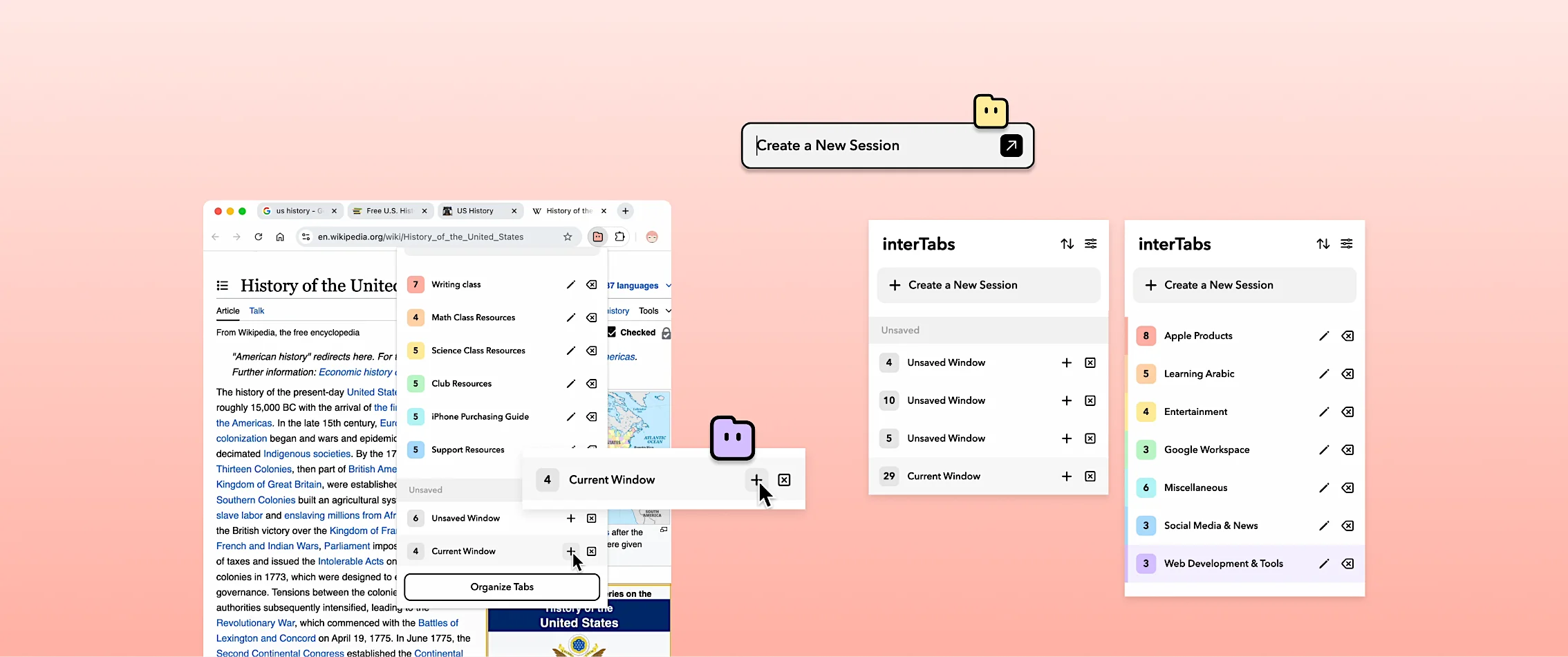
2025
interTabs
An AI-powered Chrome Extension that manage tabs.
1st Place & Best UI/UX at HOF Hack 2025
TIMELINE
MAY 2025 - AUG 2025
TEAM
4 members
ROLE
Lead Designer & Frontend Developer
SKILLS
Figma, HTML, CSS, JavaScript, Adobe After Effects
OVERVIEW
Developed at the HOF Hack 2025 as a team of 4, winning the 1st Place, Best UI/UX, and Best Beginner Hack.
Later published to chrome web store and launched by interfinity Limited.
Several of my accomplishments included:
01
Design & Prototype
Designing the Visual and UIUX of the extension and website.
02
Frontend Dev
Developing the front end of the landing page.
03
Marketing
Participate in promotion and production of marketing materials, including product videos.
04
Design Research
Conducted design research to understand the user needs and pain points, and conceptualize solutions.
How can we help browser users to manage tabs more efficiently?
Target Audience: Students, teachers, office workers, researhcers, any browser user.
PROBLEMS
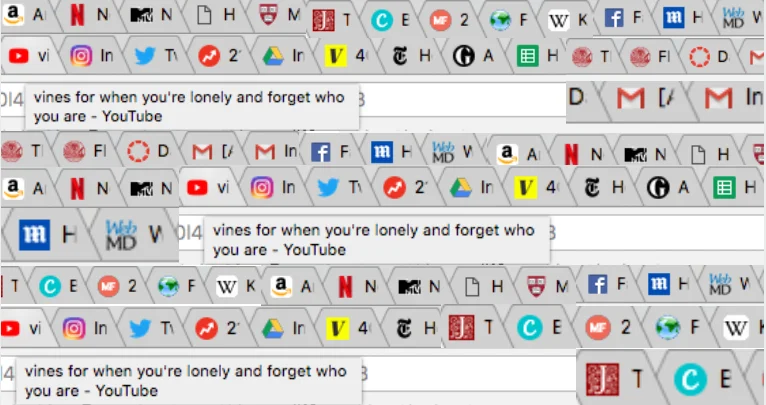
I interviewed 20+ browser users from different fields and age groups. The problems are interrelated and form a bad cycle:
Can’t Find the Tab
“The biggest problem is that there are too many tabs and I can’t find the one I need.”
Afraid to Close Tabs
“Tabs need to be reused for certain projects or classes, so we don’t want to close them. But they just pile up.”
Slowing Everything Down
“There are so many tabs open, slowing down both me and the computer.”
SOLUTION
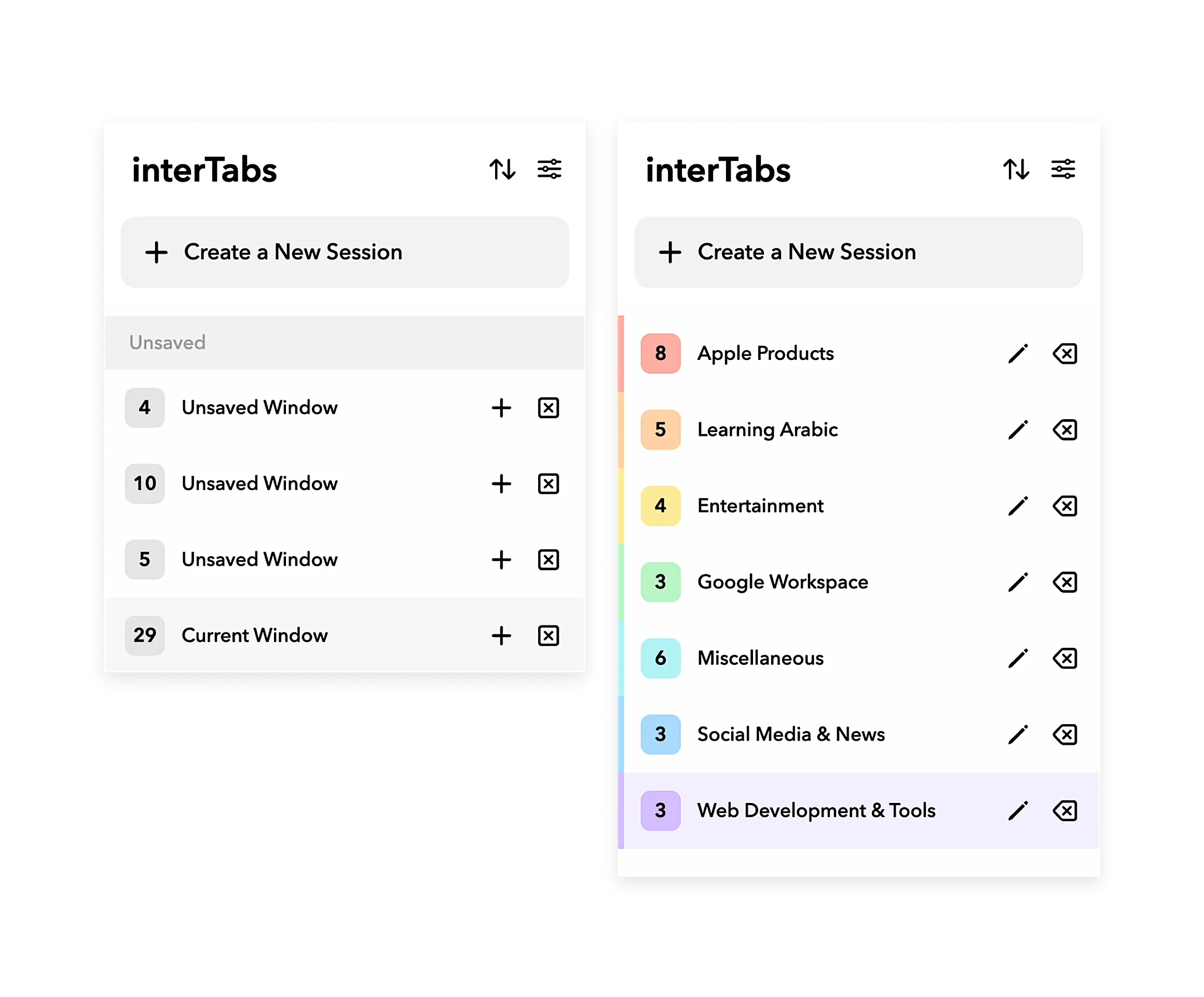
Save Tabs as Sessions
Save your tabs as a Session you can reopen anytime. Create separate Sessions for different tasks to keep your workflow organized.
- Added from research
- Users said they avoid closing tabs they still need later
- Sessions reduce the fear of losing important pages
- Keeps project-based workflows easy to return to
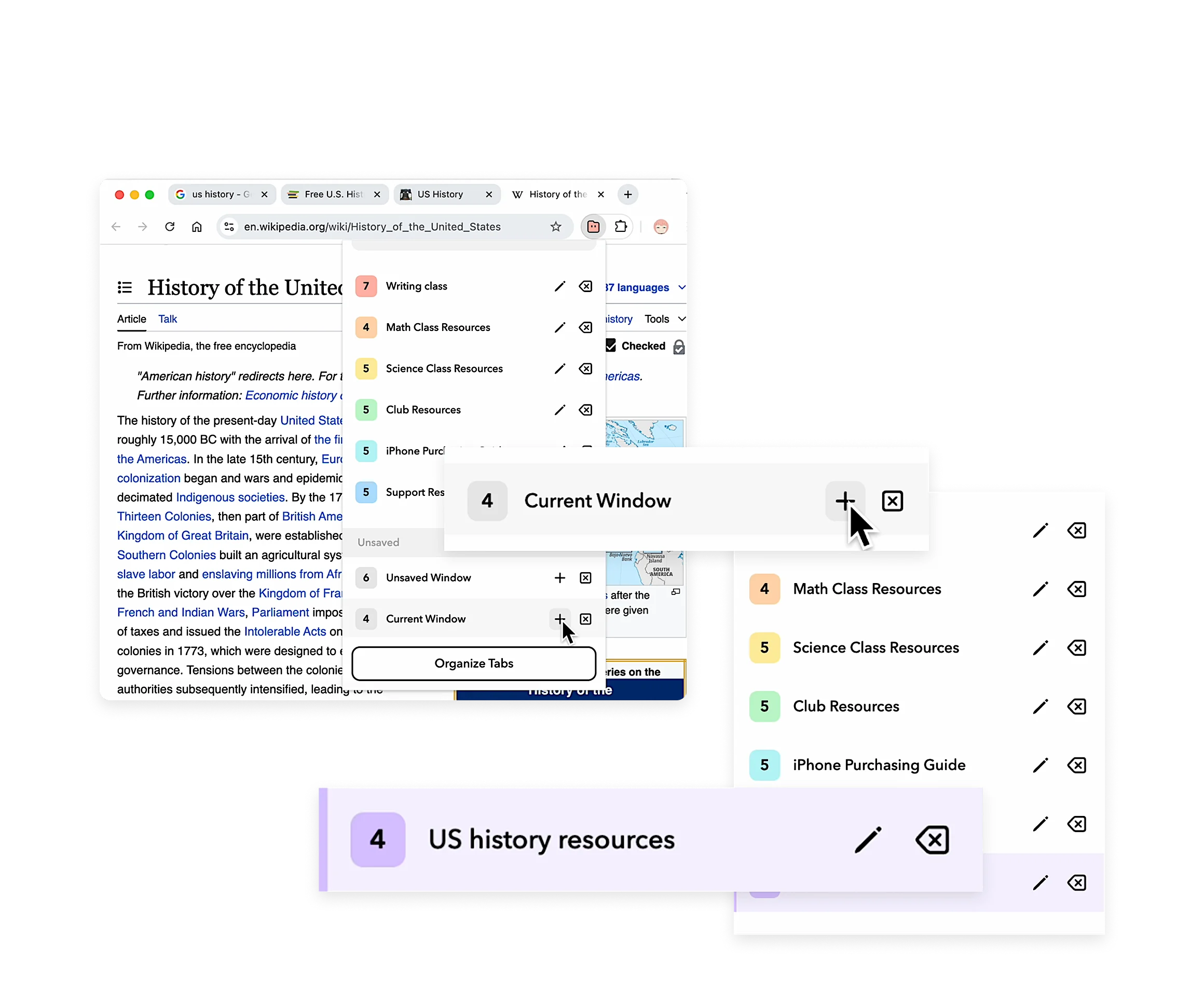
Smart Labeling
Automatically label your Sessions based on their content. AI suggests names for tab groups based on their content, and automatically label them—you can edit them anytime.
- Added from research
- People struggled to find the right tab once too many were open
- AI-generated labels make saved groups easier to scan and recognize
- Makes reopening the right session faster
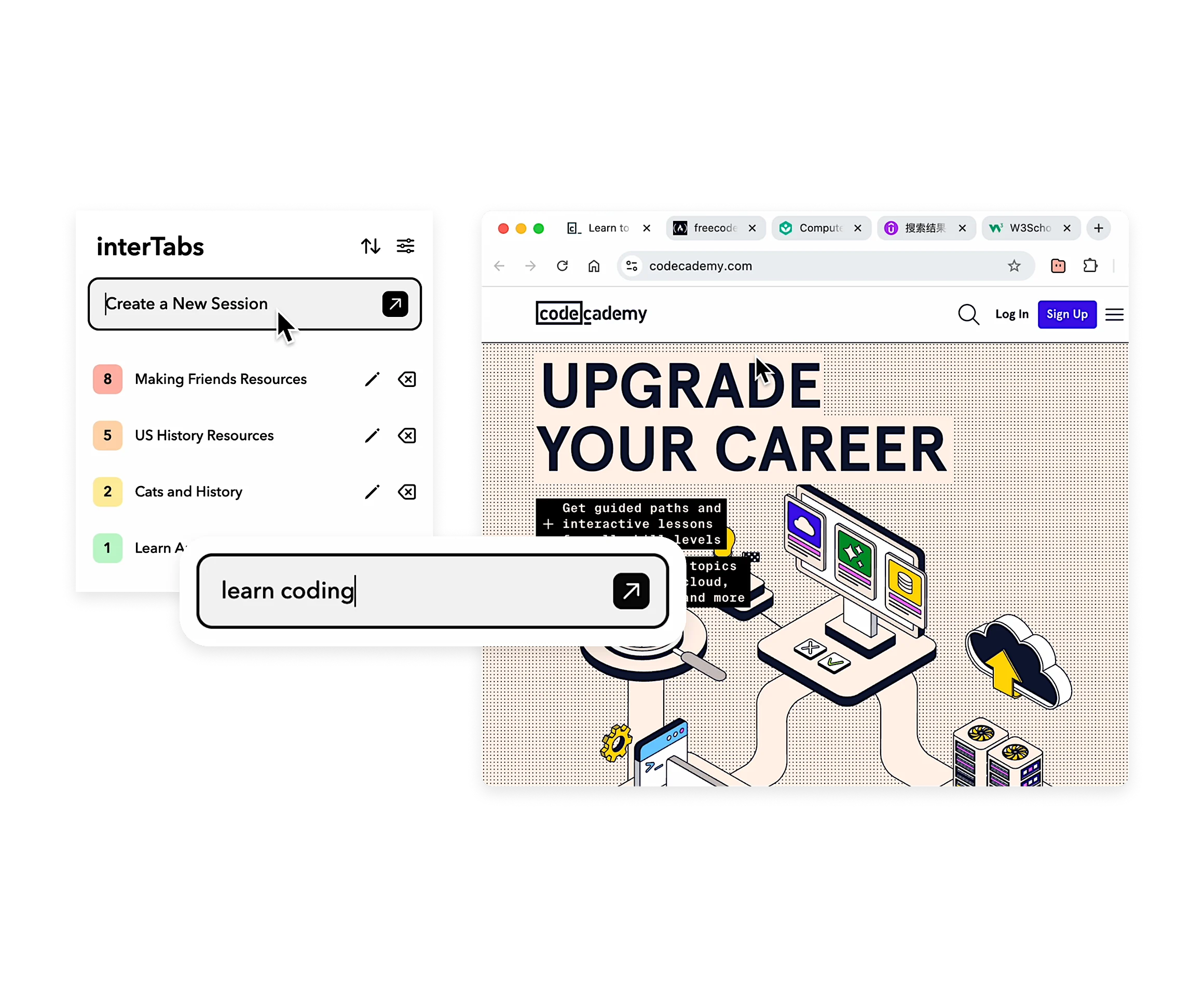
Start New Sessions with AI
If the user has a window that have large amount of tabs, interTabs will use AI to sort the tabs into oganized sections for the user.
- Added from research
- Tab overload slows down both the user and their device
- AI splits a crowded window into meaningful groups automatically
- Removes heavy manual work at the moment users feel most overwhelmed
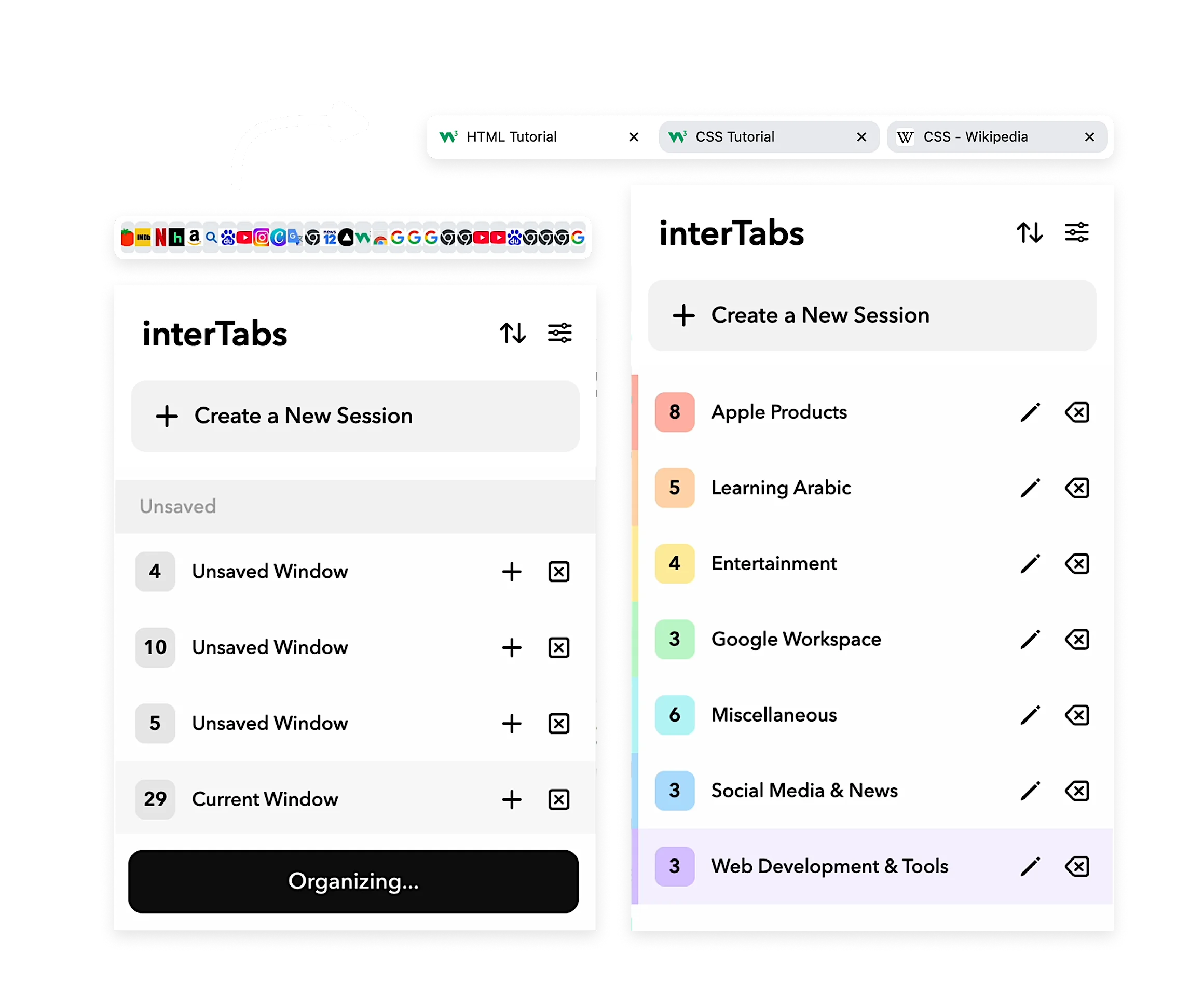
One-click Organize
Have countless tabs open? Intelligently organize them into Sessions with one click.
- Added from research
- The solution needed to feel clear and simple
- Not like another complex tab manager
- One-click organizing gives an immediate way to recover from browser chaos
IMPACT
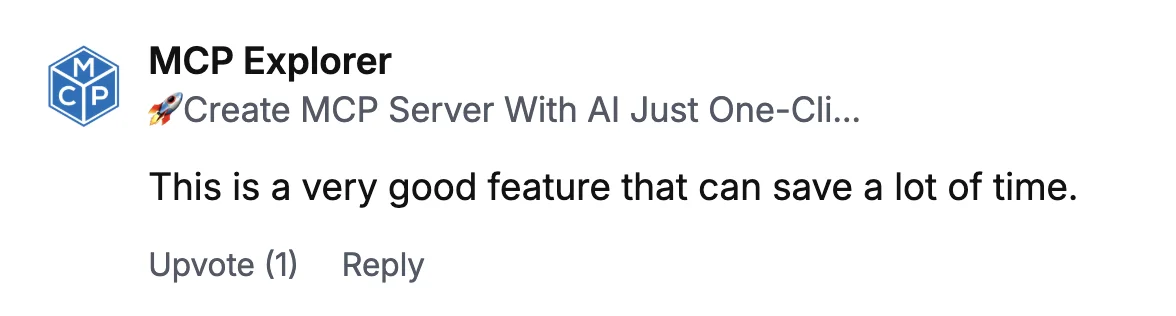
interTabs was featured and recognized across launch platforms.







PROCESS
MARKET RESEARCH
I researched on the existing tab managing chrome extensions and found that none can sort tabs in a convenient and smart way.
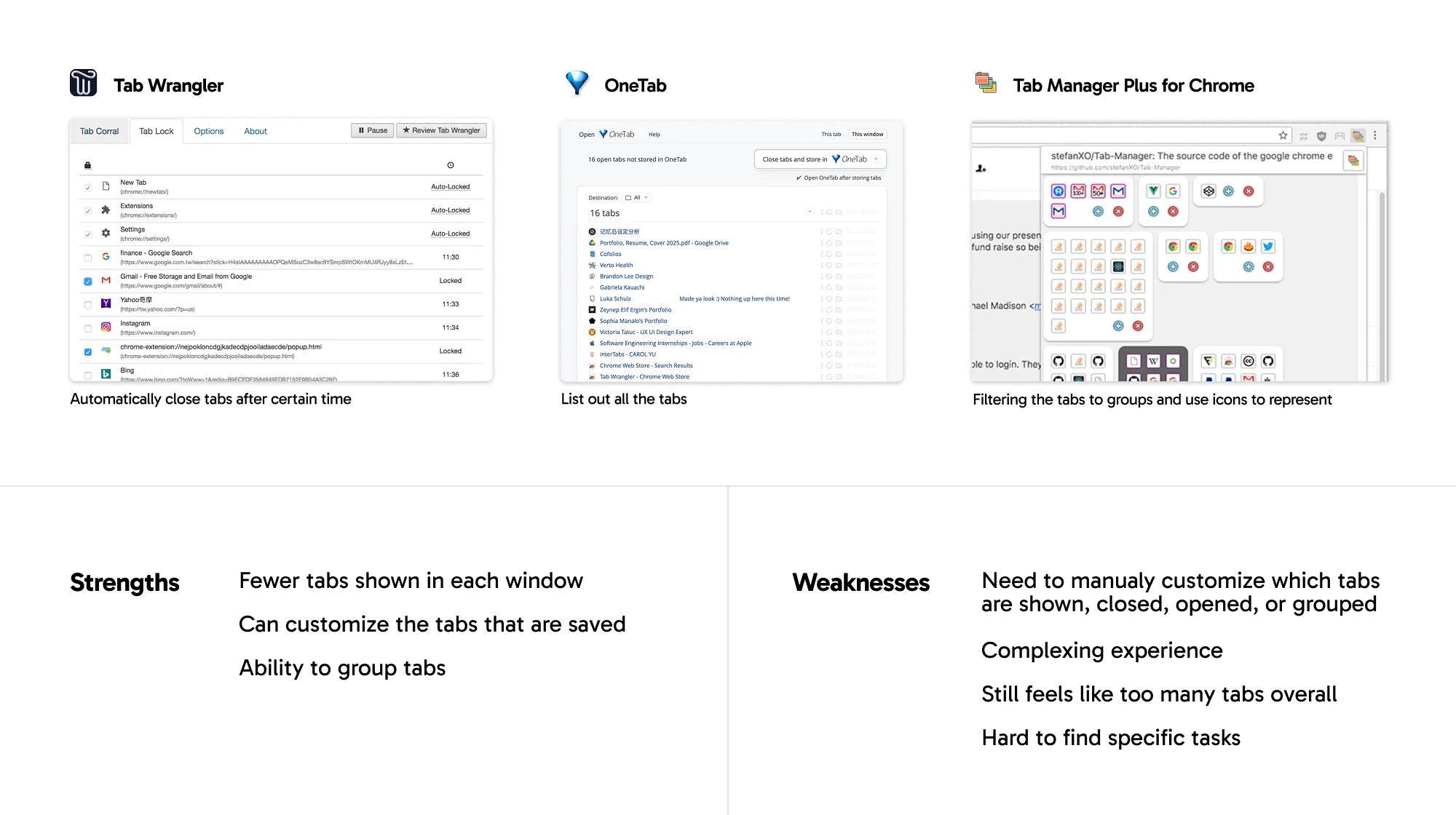
Conclusion: Create a clear and simple tool that helps users manage tabs by customizing to groups according to their needs.
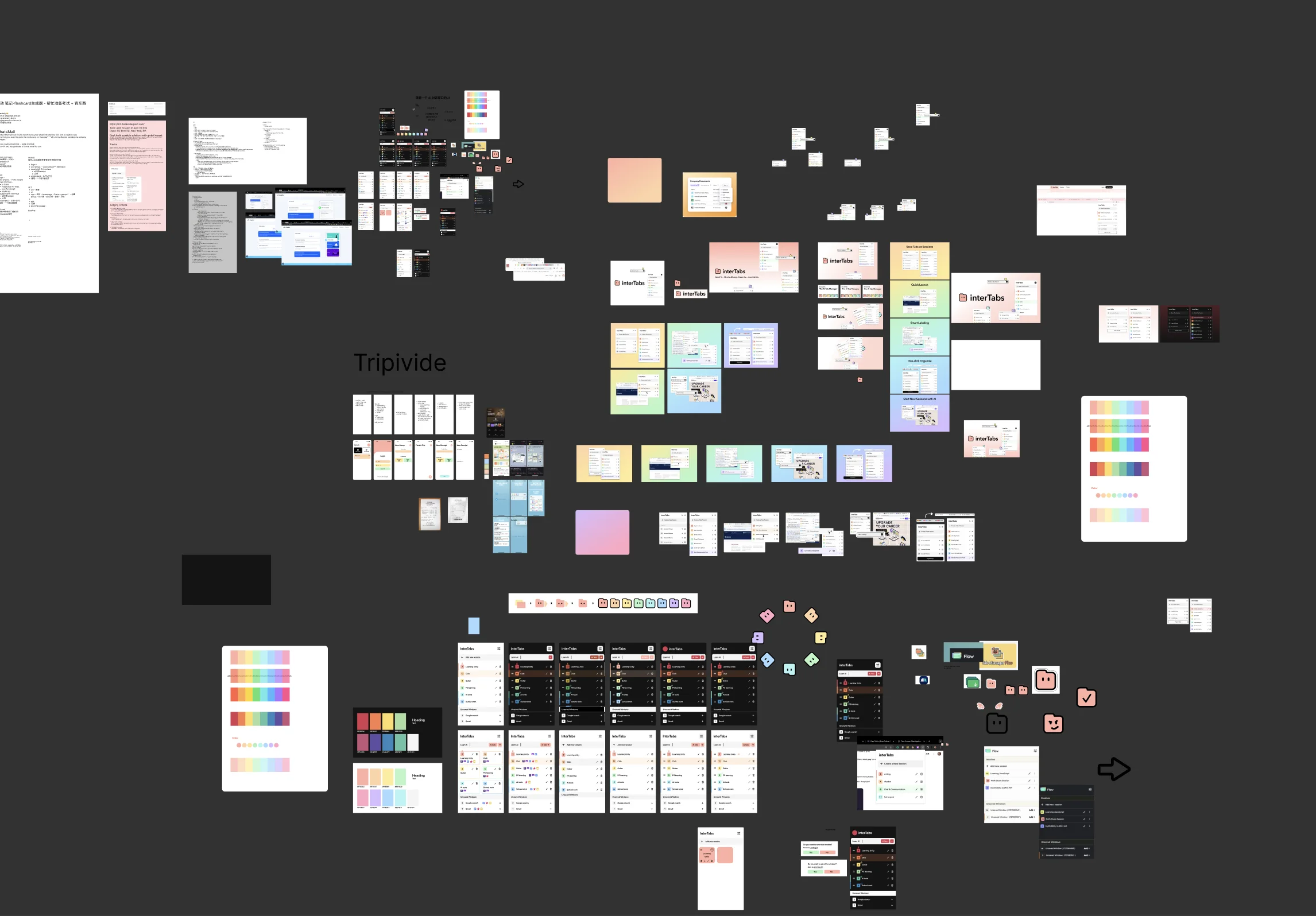
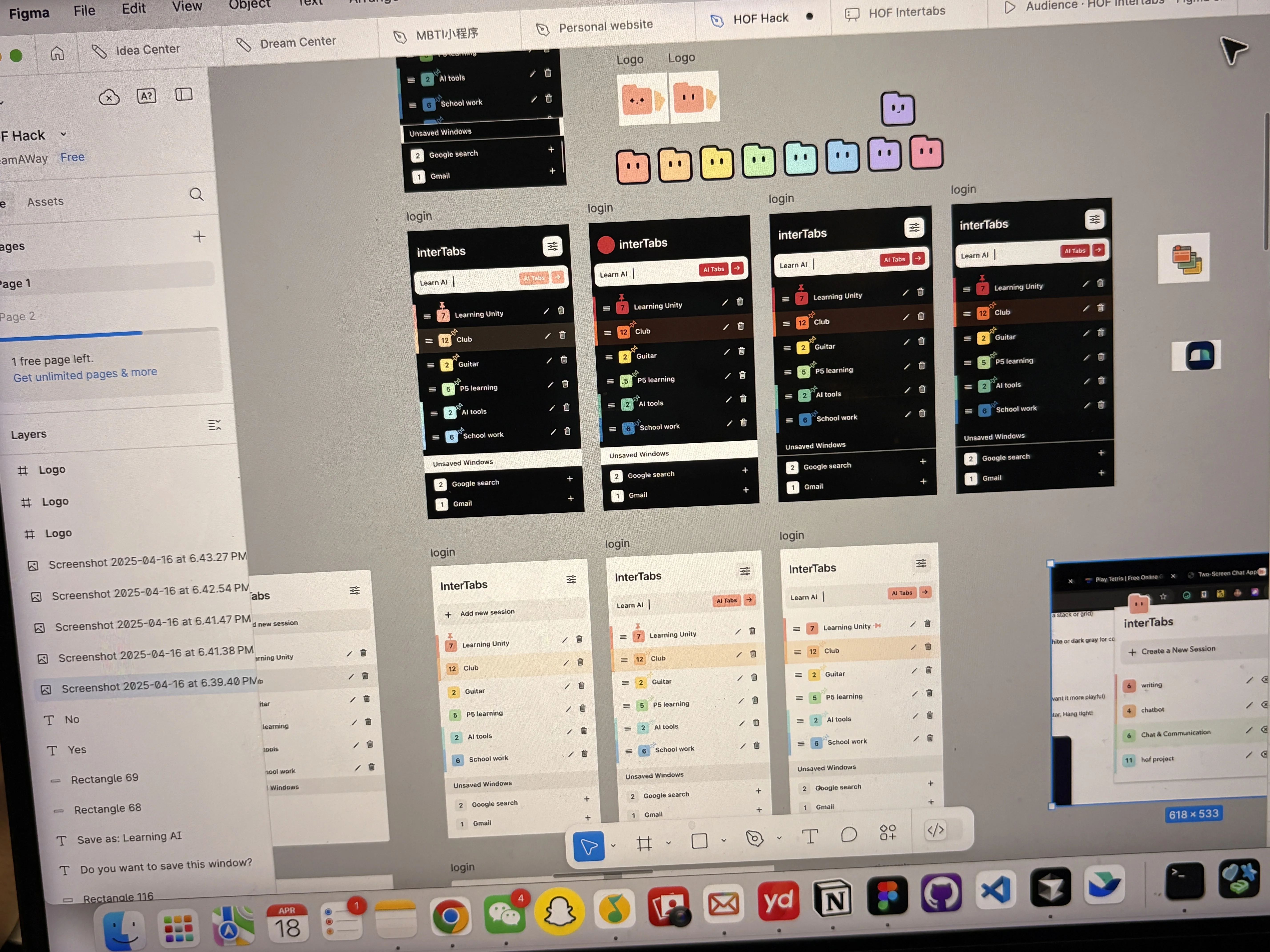
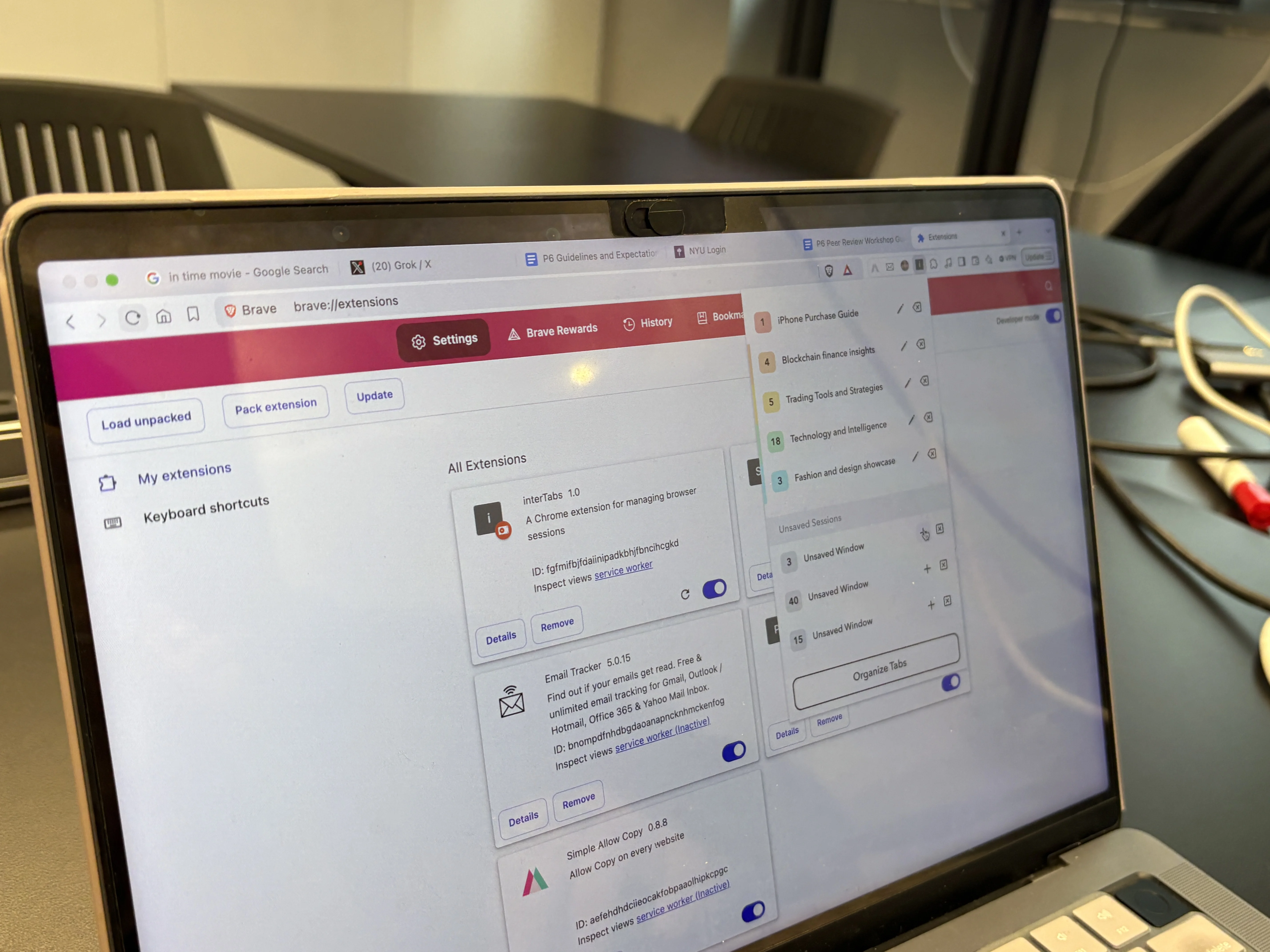
Prototyping, testing, and iterating on the design.
From early product thinking in Figma to prototype reviews and real-world testing, I iterated on the information architecture, interaction flow, and visual system before finalizing the extension experience.
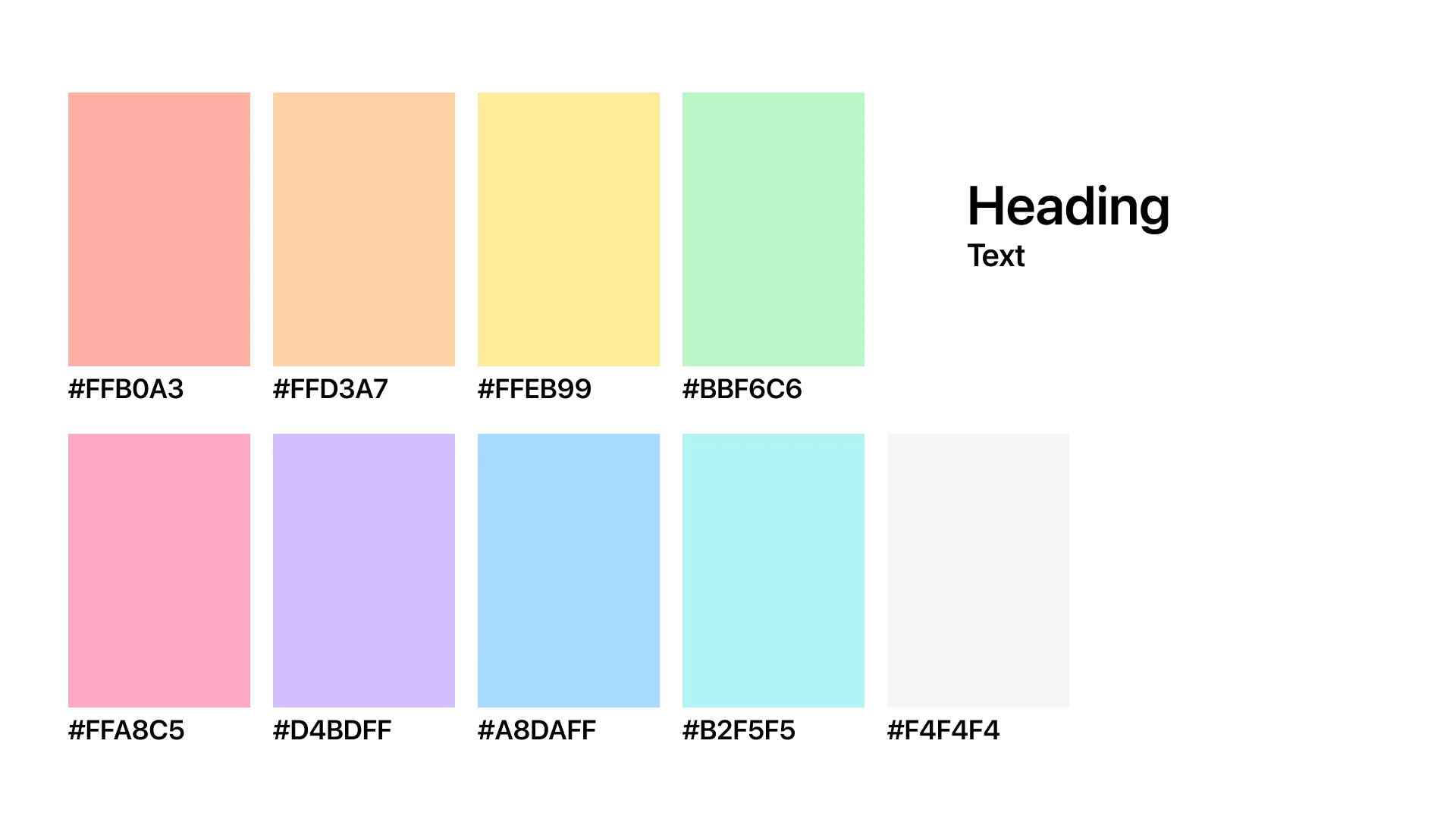
VISUAL DESIGN

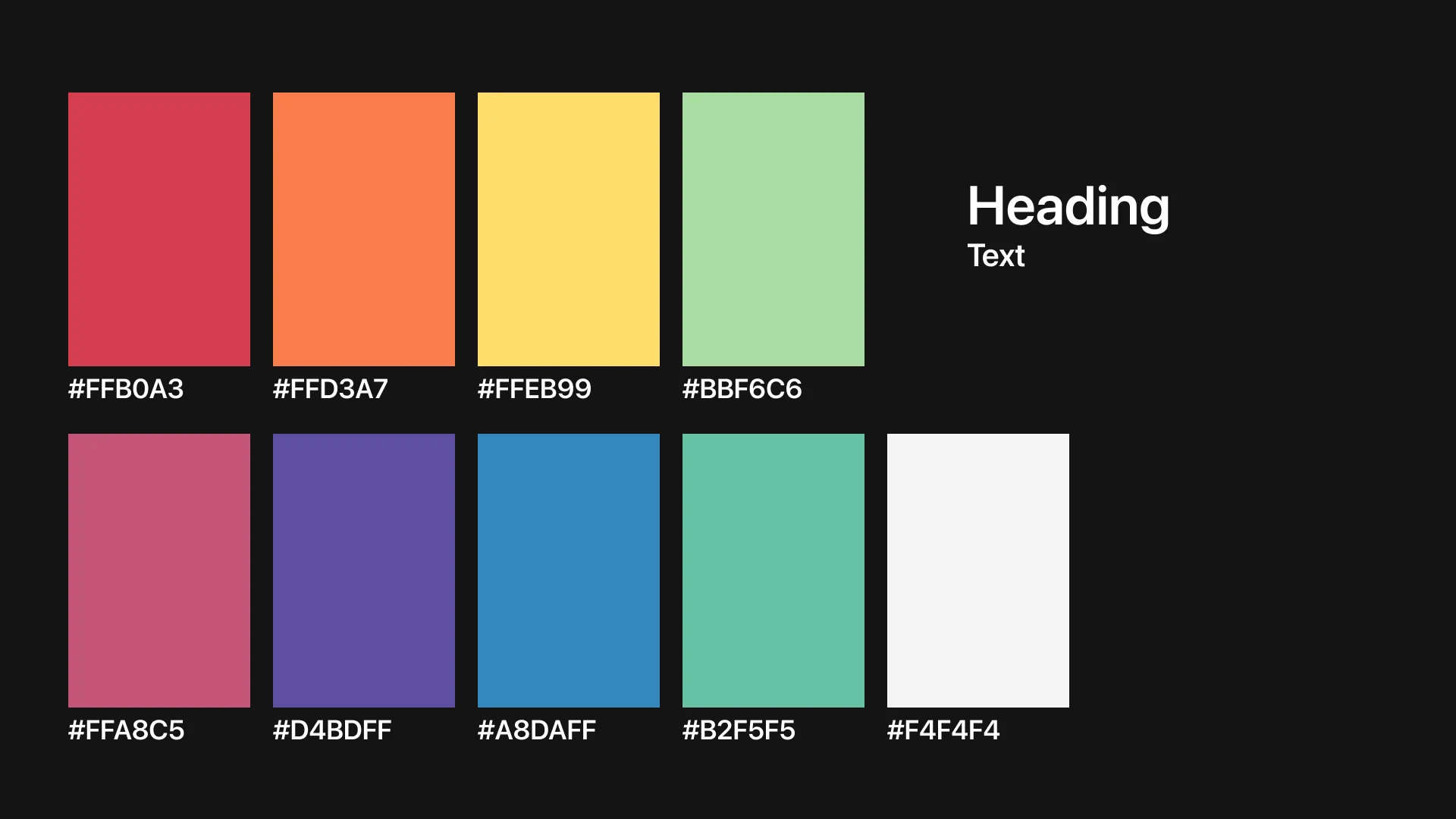
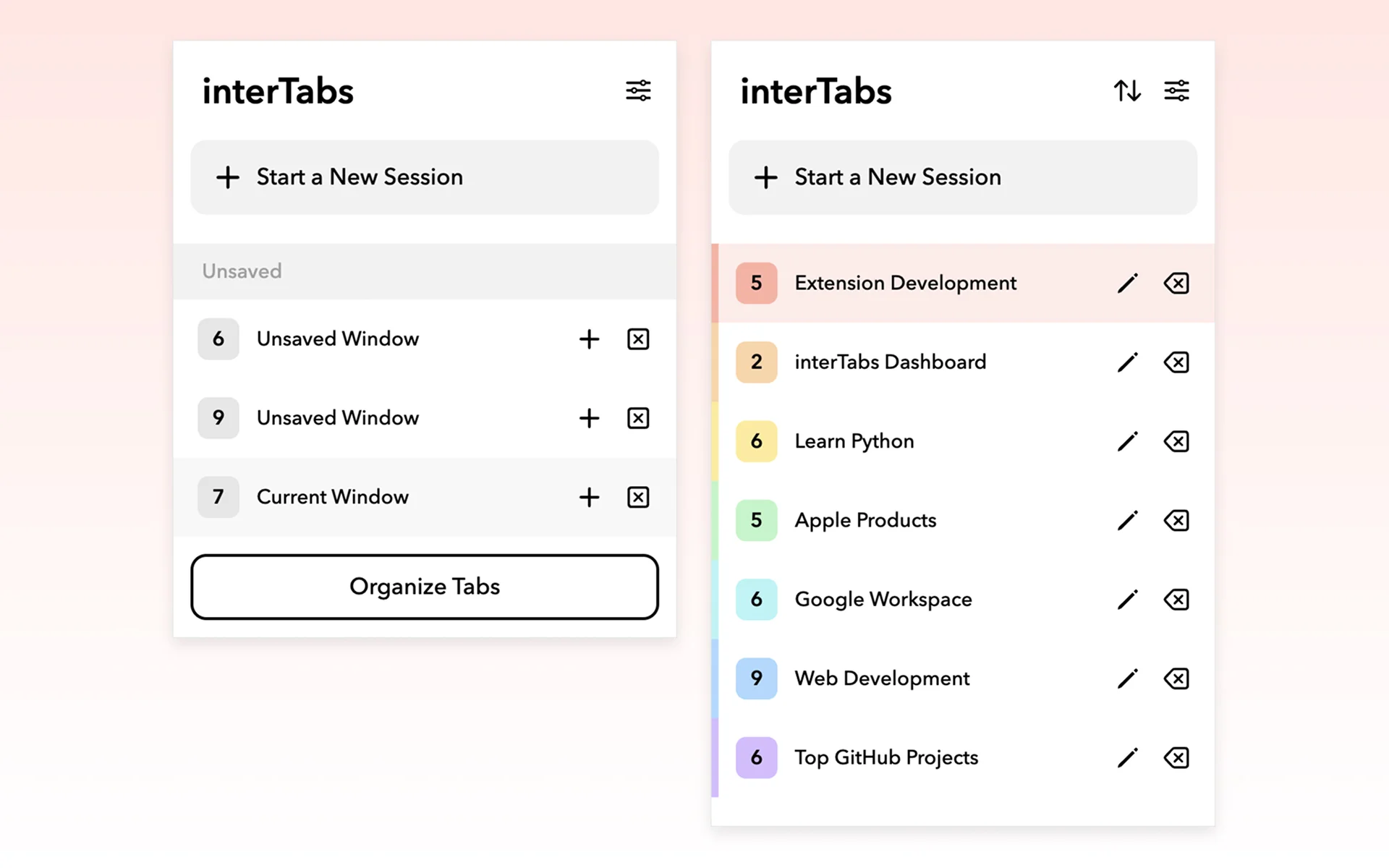
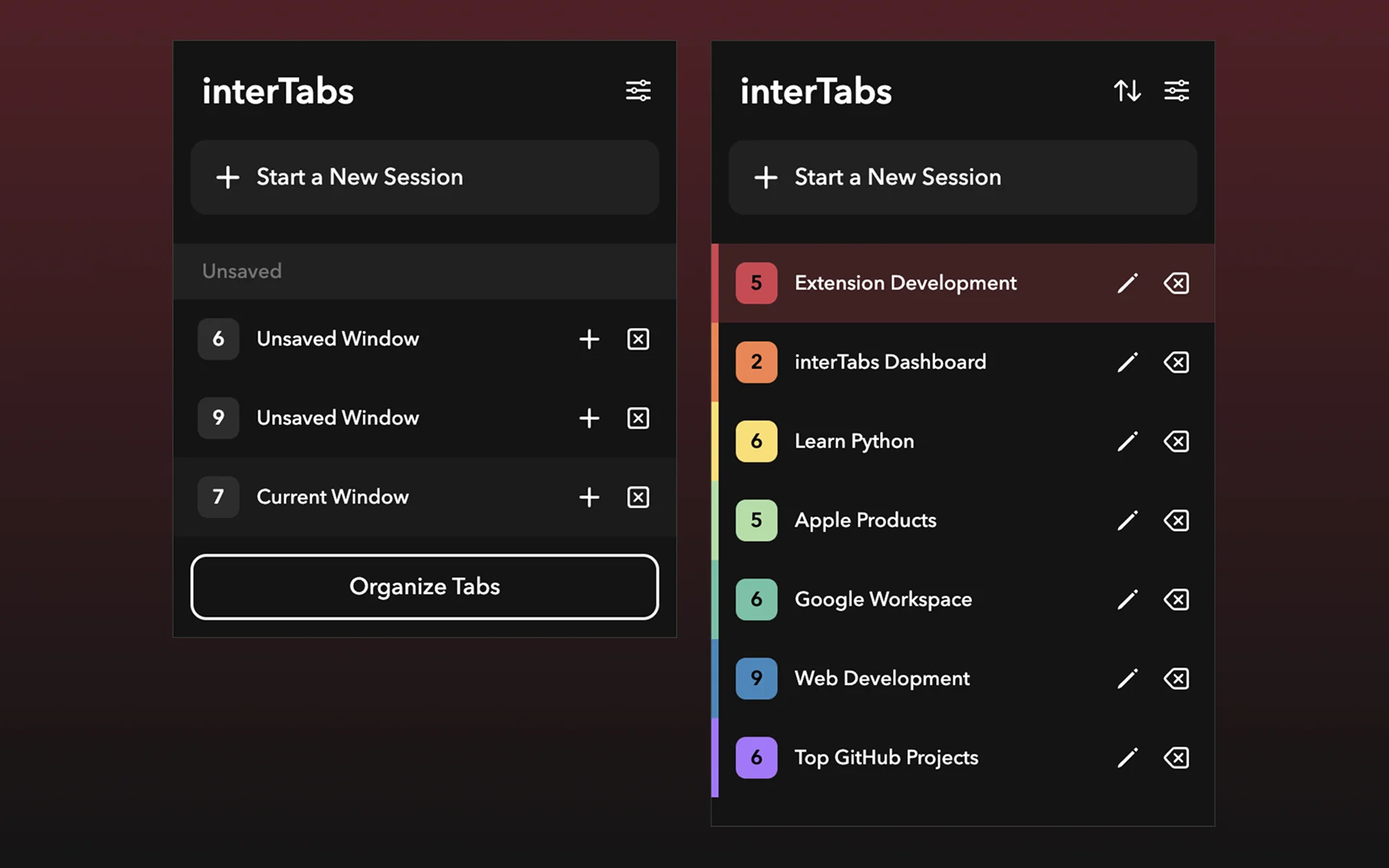
DESIGN DECISIONS
I rethought how tab management should work from the ground up, deciding on what features to include and what to cut.
The core design focus were:
Information Architecture
Rather than presenting tabs as a flat linear list, I introduced hierarchical grouping — tabs have structure and logical relationships, not just order. This was the core shift that made interTabs feel fundamentally different from native tab management.
Reducing Switching Cost
The design prioritises fast location — getting users to the right tab immediately without hunting. Visual distinction and structural grouping let users scan and identify targets at a glance, cutting the time lost bouncing between tabs.
Lightweight & Non-Intrusive
Because interTabs is a high-frequency tool, I kept the interface intentionally restrained. No visual noise, no unnecessary prompts — users stay focused on their actual work, not on managing the manager.
What got cut: Early concepts included deep customization for how AI groups tabs, and push notifications reminding users to save open sessions before closing. Both were dropped — they added friction to an experience that needed to feel effortless.
Video Demo
REFLECTION
Building interTabs clarified something I'll carry into every project: the real challenge in productivity design isn't adding capability — it's reducing cognitive load.
The Core Tradeoff
More features mean more control — but also a steeper learning curve. I chose to protect the simplicity of the core experience first. A tool people actually use daily is worth more than a fully-featured one that feels like a chore.
Design Value = Faster Decisions
The value of design here wasn't making things look clean — it was helping users make faster decisions. Every layout choice, every label, every grouping was evaluated by one question: does this help the user decide less?